For years, my IDE was a settled question. IntelliJ at work, VS Code for everything else. Then agents showed up, and the question reopened without warning.
My days had changed. I write less code in a file and spend more time launching tasks, reading diffs, and answering an agent that is waiting for my go-ahead while another one works away in its corner. IntelliJ and VS Code weren't built for that. You bolt on a Claude Code plugin, a chat panel, an integrated terminal, and you end up juggling windows, branches and forgotten git stash entries.
Zed is a different story. It was designed for the agentic era: the Agent Client Protocol (ACP) to plug Claude Code, Codex or Gemini CLI straight into the editor, and since its 1.0 release in late April 2026, parallel agents each isolated in a worktree. It was the closest to what I was after. What I was missing sat around the editing: tasks that run without me on a schedule, a tool the agent itself can drive from the command line, and an easy way to extend it.
I tried quite a few things. Since mid-August I've been on Orca, and for the first time in a long while I don't feel like looking elsewhere.
In brief
- What: Orca is an open-source (MIT) desktop development environment built to run several coding agents in parallel. Made by Stably AI, available on macOS, Windows and Linux.
- The idea: every session gets its own git worktree, agent terminal and browser tab. Agents stop stepping on each other.
- Supported agents: Claude Code, Codex, OpenCode, Cursor CLI, GitHub Copilot CLI, Gemini, and in practice any agent that runs in a terminal.
- What sets it apart: an agent dashboard, scheduled automations, a CLI and skills the agent itself can use, a plugin system.
- The catch: each worktree duplicates dependencies (disk, memory), and more agents in parallel means more tokens and more diffs to review.
What Orca is, in two sentences
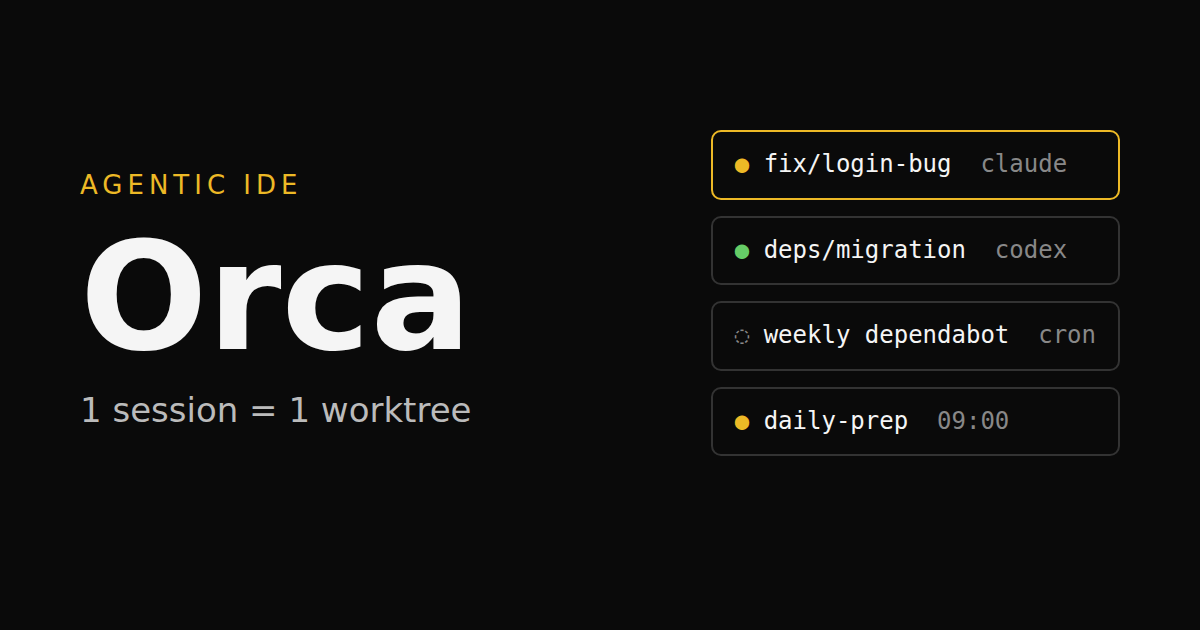
Orca calls itself an "agent development environment". In practice, it's a desktop app where every task lives in a dedicated git worktree, with a terminal for the agent, a file editor, a diff viewer, a built-in browser, and access to GitHub pull requests (and Linear tickets).
The project is open source on GitHub, made by Stably AI, a San Francisco startup. It started in spring 2026 and gathered tens of thousands of stars within a few months, shipping releases almost daily. It's a young tool, and sometimes it shows. More on that below.
What Orca isn't: an agent. It has no model of its own. It orchestrates the ones you already use. For me that's mostly Claude Code, but nothing stops you from running another one in the next tab.
One worktree per session: the click
If I had to keep just one thing, it would be this.
A git worktree, for those who've never needed one, is a second working folder attached to the same repository but on another branch. Same history, separate files. I mentioned them in the article on Claude Code and Git workflows as a trick for advanced users. Orca has made them its foundation since the first commit: every new session creates its worktree, its branch, its terminal. Zed adopted the same approach for its parallel agents, which says a lot about the idea. In Orca it applies to any command-line agent and to several repositories at once.
The effect on how I work was immediate. Before, running two agents on the same project meant risking both editing the same file, or one reading code the other had half rewritten. So I didn't. I serialised. One task, wait, review, next.
Today I open a session to fix a bug, another for a dependency migration, a third to explore an idea I might throw away. Each moves forward on its own. When one is ready, I read the diff, push, open the PR, and delete the worktree. The others never noticed.
That's what I call multiplexing. Code doesn't come out of any single session faster, but nothing waits for the previous one to finish anymore. It works across projects too: three repositories, each with its sessions, in the same window.
The cost is real. Each worktree has its own node_modules (or equivalent), so disk fills up fast on a big project. A write-up by Margrop puts memory at about 2 GB per active agent, so around ten gigabytes for five agents in parallel. I haven't measured that precisely, but the order of magnitude feels right. Orca can push worktrees to a remote machine over SSH, which solves part of the problem.
The dashboard: who is waiting for what
Launching five sessions is easy. Knowing which one has been waiting for an answer for twenty minutes is another matter.
Orca shows the state of every agent: working, done, or blocked on a permission request. An overview gathers all sessions, with notifications when an agent needs you. It sounds minor. In practice, it's what makes parallelism sustainable. Without it, I kept making rounds of the terminals to check whether anyone had finished.
There's also a mobile app (iOS and Android) to follow agents and nudge them from your phone. Handy on the day a session needs approval while you're away from your desk.
Claude Code, Codex, or whatever you like
Orca doesn't impose an agent. It runs whatever works in a terminal: Claude Code, Codex, OpenCode, Cursor CLI, GitHub Copilot CLI, Gemini, and a long list of others. You can even send the same prompt to several different agents, each in its own worktree, and compare the results. Zed also lets you switch agents through ACP; Orca only needs a terminal, so an agent requires no specific integration to run in it.
That matters to me. I've spent enough time comparing tools (Claude Code, Cursor and Copilot, among others) to know none of them is final. I don't want my working environment to depend on a single vendor. With Orca, if another agent does better on some kind of task tomorrow, I add it in a tab. My habits, shortcuts and worktrees stay the same.
Scheduled tasks, or the agent that works on Monday morning
This is the feature I didn't expect and use the most.
Orca has an automation system: a prompt, an agent, a repository or worktree, and a schedule. The schedule accepts presets (hourly, daily, weekdays, weekly), a cron expression or an RRULE, with time zone support. You can also set a precheck, a small shell command that skips the run if it fails, so you don't burn tokens for nothing.
I have two running permanently.
Dependabot follow-up, once a week. Dependabot PRs pile up on my repositories. Individually they're trivial. Collectively nobody wants to deal with them. Now, every week, an agent goes through them, checks which pass CI and which break something, and prepares a summary of what can be merged as is and what deserves a closer look. I keep control of the merge. But the triage is done by the time I arrive.
Preparing the team daily. Every weekday morning, an agent gathers what moved since the day before: PRs opened and merged, pending reviews, tickets that changed state. I walk into the daily with a clear view instead of reconstructing yesterday from memory.
Here's what creating an automation looks like from the command line (repository name and prompt are examples):
orca automations create \
  --name "Weekly Dependabot" \
  --trigger "0 8 * * 1" \
  --timezone Europe/Paris \
  --prompt "List open Dependabot PRs, check their CI and summarise what can be merged" \
  --provider claude \
  --repo my-repo
Then orca automations list, run or edit to manage them. The UI does the same thing, with ready-made templates.
The CLI and skills: Claude Code handles the rest
This is where I understood Orca was designed by people who actually work with agents.
Everything the UI does is available through the orca CLI: create a worktree, read a terminal's output, send a command to another terminal, open a file, drive the built-in browser, manage automations. And Orca ships skills (in the sense of Claude Code skills) that teach the agent how to use that CLI. One command installs them:
npx skills add https://github.com/stablyai/orca --skill orca-cli --globalThe upshot is that I hardly configure anything by hand anymore. I ask Claude Code to create the Dependabot automation, prepare three worktrees for a batch of tickets, or add a new project to Orca. It does it. What we used to set up through menus, we now describe in one sentence to an agent that has the tools to do it.
There are other skills for multi-agent orchestration (one agent handing work out to others), Linear, and driving iOS and Android emulators.
Plugins: I built one to track my usage
Last point, and the newest: Orca has a plugin system. It's still young (flagged experimental when it landed, and the repository issues show the API growing request by request), but it already lets you add panels, commands and shortcuts, and listen to application events.
I had a specific need. When you run many agents in parallel, usage goes up, and it goes up quietly. I'd already written about Claude Code billing, but I lacked a simple view of where the tokens were going.
So I built a plugin. It shows my usage per project and per model, with a monthly view, and surfaces the most expensive sessions. That last view is the one I check most. An exploration that was too vague, an agent looping on a test that won't pass: that kind of session jumps out at the top of the list, and it nudges you to frame your prompts better.
And like everything else, Claude Code wrote most of the plugin, from the documentation and the API Orca exposes.
What still gets in the way
I won't pretend it's all perfect.
The release pace. Releases almost every day are great for new features, less so for stability. You have to accept that the tool moves under your feet.
Resources. As mentioned above: disk, memory, and above all tokens. Five agents in parallel is potentially five times the usage. The tool makes parallelism easy. It doesn't make it free.
Review. More agents means more code produced, so more diffs to read. Orca helps (diff annotations, built-in PR review), but the bottleneck is me. If I don't review, I shouldn't merge.
The editor. Orca doesn't support VS Code extensions. For a big manual refactoring session, with the debugger and a language's full tooling, IntelliJ still has the edge. For me, that's become the exception.
Six weeks later
What changed, deep down, is the shape of my workstation. It's no longer organised around an open file. It's organised around tasks in progress, each in its own box, with someone (something) working on it while I do something else.
IntelliJ and VS Code remain excellent editors, designed around someone who writes code. Zed has made the move to agents, and made it well. Orca starts directly from someone who puts agents to work, schedules them, watches them and reviews what they produce. That's what I do most of the time now, and that's why I stayed.
If you want to try it: it's free, installs in a few minutes from onorca.dev, and your current agents work in it as they are. Start with two parallel sessions on a project you know well. You'll quickly see whether it clicks.
Frequently asked questions
- What is Orca?
- Orca is an open-source (MIT) desktop development environment built to run several coding agents in parallel. Each task gets its own git worktree, agent terminal and browser tab. It is made by Stably AI and runs on macOS, Windows and Linux.
- Is Orca free?
- Yes. Orca is free and open source under the MIT license. The agents you run inside it are billed separately under their own model: an Anthropic subscription or API key for Claude Code, OpenAI for Codex, and so on.
- Does Orca work with Claude Code?
- Yes. Orca runs any command-line agent in a terminal: Claude Code, Codex, OpenCode, Cursor CLI, GitHub Copilot CLI, Gemini and more. You can even run several different agents on the same task, each in its own worktree.
- Why does Orca use git worktrees?
- A git worktree is a second working directory attached to the same repository, on a different branch. By giving each session its own worktree, Orca stops two agents from editing the same files at the same time: each works in its own folder, and changes are merged later through a pull request.
- What is the difference between Orca and Zed?
- Zed is a fast code editor built for agents: it integrates Claude Code and others through the Agent Client Protocol (ACP) and, since its 1.0 release (April 2026), runs parallel agents in git worktrees. Orca is an environment built around orchestration: it runs any terminal agent and adds scheduled automations, a CLI agents can drive, and a plugin system.
- Can Orca run recurring scheduled tasks?
- Yes. Orca automations launch an agent with a given prompt on a schedule (hourly, daily, weekdays, weekly, a cron expression or an RRULE), against a specific repository or worktree. They can be created from the UI or with the orca automations create command.